

Phone Care Tips

How to Stop Your iPhone Charger Cable From Breaking (7 Easy Tips)

If you use an iPhone, you have probably seen it happen: the white charger cable starts to crack right where it meets the connector, the rubber peels back, and one day the wires are showing. A few weeks later the cable stops charging. Then you’re buying another one.

The good news is that most cable damage is avoidable. It usually comes from a handful of daily habits. In this guide we’ll explain why iPhone charger cables break, and share 7 easy ways to protect your charger cable so it lasts much longer.

Why do iPhone charger cables break so easily?

Almost every charging cable fails at the same place: the neck, the short section where the soft cable meets the hard connector. Every time the cable bends at that point, the thin wires inside flex. Do that hundreds of times a day, and the outer coating cracks and the wires eventually snap.

The most common causes are:

  • Sharp bends while using the phone in bed or on the sofa with the charger plugged in.
  • Pulling the cable instead of the plug when you disconnect it.
  • Wrapping the cable tightly around the adapter when you put it in your bag.
  • Heat and sweat, which slowly weaken the outer coating.
  • Pets and kids chewing or yanking the cable.

7 easy ways to protect your iPhone charger cable

1. Hold the plug, not the cable

When you unplug your phone or the adapter, pull from the hard plug, not the wire. Pulling on the cable puts all the force on the weakest point, the neck. This one habit alone can add months to a cable’s life.

2. Don't bend the cable sharply while charging

Using your phone while it charges is normal. But if the cable is bent at a sharp angle at the connector, it’s being damaged every minute. Try to keep a gentle curve at the neck, or use your phone in landscape so the cable runs straight.

3. Coil it loosely, never tightly

Wrapping the cable tightly around the adapter is one of the fastest ways to ruin it, because it creates a sharp bend right at the neck. Instead, make a loose loop about the size of your palm and hold it with a soft cable tie.

4. Use a cable protector on the neck

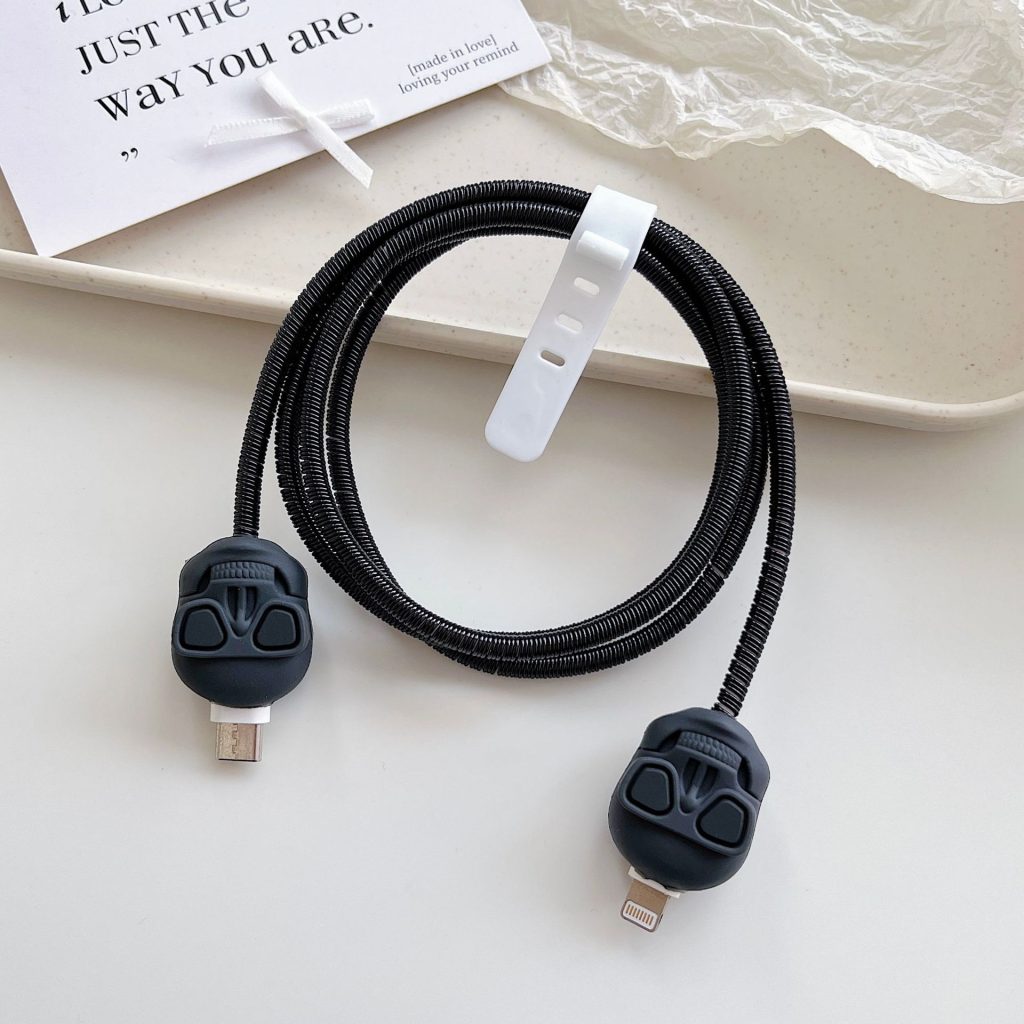
A cable protector is a small silicone piece that sits over the neck of the cable. It spreads the bending force over a wider area, so the cable can’t bend sharply at the connector. It’s the single most effective thing you can do, and it costs far less than a new cable.

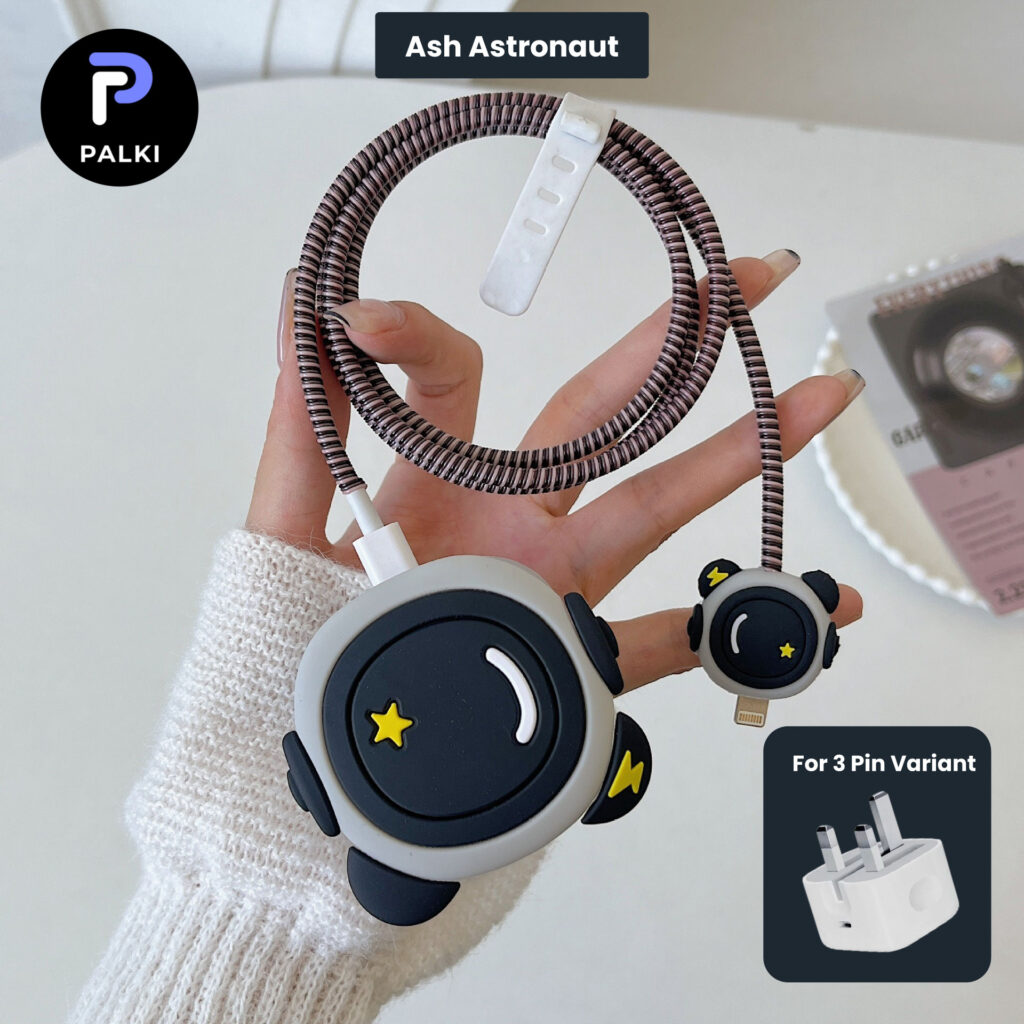
Our 3 pin charger protector sets and 2 pin charger protector sets come as a 4-in-1 kit: a charger cover, a cable-head protector, a spiral cable wrap and a cable tie. They fit the iPhone 20W adapter and turn the plain white charger into something fun, from Batman to Astronaut Ash.

Shop these picks

3 pin Protector – iphone 20 Watts charger and cable protector – Batman

Original price was: 450.00৳ .Current price is: 400.00৳ .

Give your 3 Pin iPhone charger a Batman makeover. A 4-in-1 silicone set — charger cover, cable-head protector, spiral cable wrap and cable tie — that keeps your adapter scratch-free and your cable from fraying.

3 pin Protector – iphone 20 Watts charger and cable protector – Ash Astronaut

Original price was: 450.00৳ .Current price is: 400.00৳ .

Give your 3 Pin iPhone charger a Ash Astronaut makeover. A 4-in-1 silicone set — charger cover, cable-head protector, spiral cable wrap and cable tie — that keeps your adapter scratch-free and your cable from fraying.

3 pin Protector – iphone 20 Watts charger and cable protector – Red Mario

Original price was: 450.00৳ .Current price is: 400.00৳ .

Give your 3 Pin iPhone charger a Red Mario makeover. A 4-in-1 silicone set — charger cover, cable-head protector, spiral cable wrap and cable tie — that keeps your adapter scratch-free and your cable from fraying.

5. Wrap the length of the cable with a spiral protector

Spiral wraps protect the middle of the cable from rubbing, twisting and small bites from pets. They also make the cable a little stiffer, so it doesn’t tangle as easily in your bag.

6. Keep it away from heat

Don’t leave your cable in direct sunlight, on a hot car dashboard, or trapped under a pillow while charging. Heat makes the coating brittle, and a brittle coating cracks quickly.

7. Keep your charging port clean

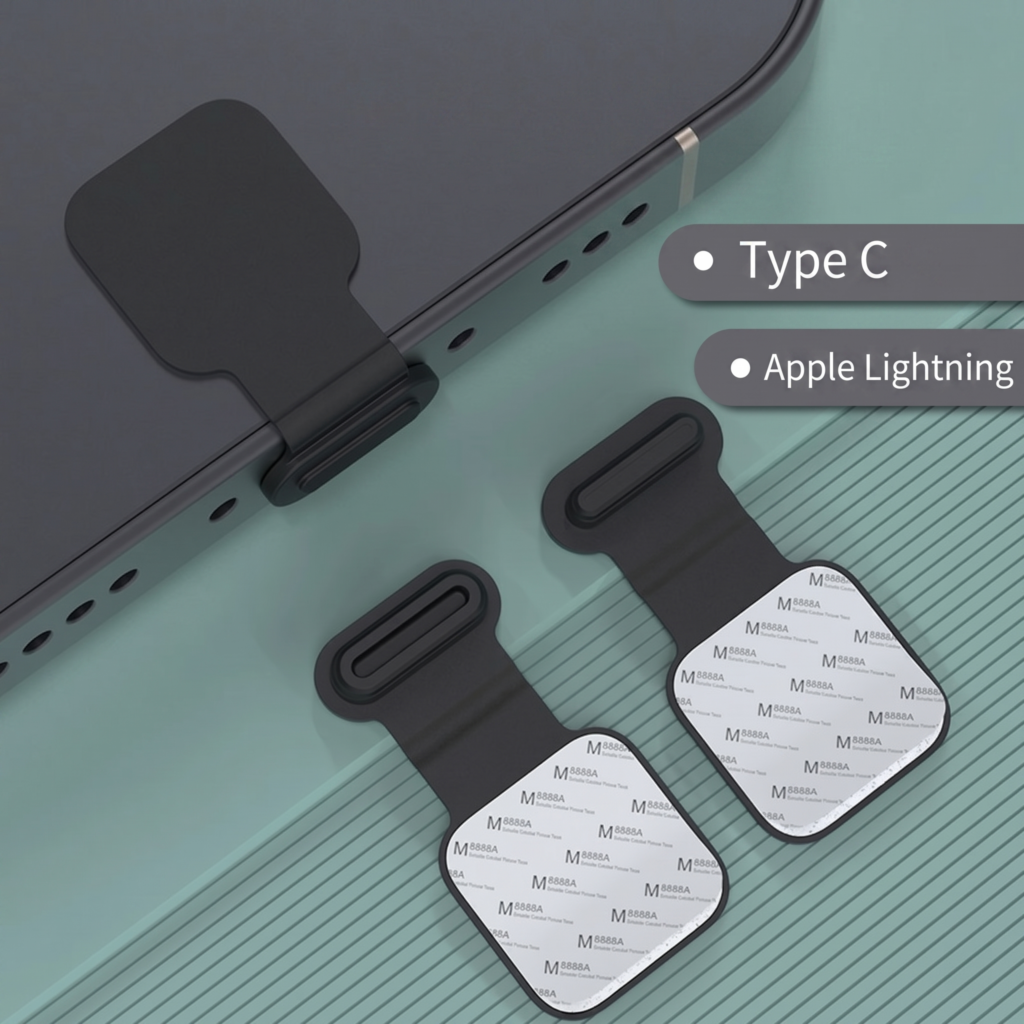
If your cable only works at a certain angle, the problem is often not the cable but dust and lint in your phone’s charging port. That makes people wiggle the cable, which damages the neck even more. A small anti-lost dust plug keeps the port clean when you’re not charging.

Charger protector vs cable protector: what's the difference?

People often mix these up, so here’s a quick breakdown:

  • Charger protector (charger cover): a silicone case that goes over the adapter (the plug block). It protects the adapter from scratches, drops and yellowing, and makes it easy to find your charger in a shared room.
  • Cable protector: a small piece that goes on the cable neck, the place where the cable breaks. This is the part that actually saves your cable.

The best option is a set that includes both. That’s why our charger protector sets come with a cover, a head protector and a spiral wrap together. If you only need the cable part, look at our cable protector sets.

Our picks

2 Pin Protector – 4 in 1 iphone charger and cable cover – Batman

Original price was: 450.00৳ .Current price is: 400.00৳ .

Give your 2 Pin iPhone charger a Batman makeover. A 4-in-1 silicone set — charger cover, cable-head protector, spiral cable wrap and cable tie — that keeps your adapter scratch-free and your cable from fraying.

Anti-Lost Silicone Dust Plug for Mobile Phone – Type-C / Lightning

60.00৳ 
Select options This product has multiple variants. The options may be chosen on the product page

Keep your charging port dust-free and protected with this self-adhesive silicone dust plug. Sticks firmly to your phone case so it's always within reach - never lose your dust cap again! Available for Type-C and Lightning ports.

Is it worth using a charger protector?

Yes, for most people. An original charger and cable isn’t cheap, and cable damage happens slowly, so you often don’t notice until it stops working. A protector set costs much less, takes a minute to fit, and removes the main cause of damage. As a bonus, a cute design makes your charger easy to spot, so it doesn’t “go missing” at home, in the office or in a hostel.

Quick checklist

Frequently asked questions

If the coating is only slightly cracked and the cable still charges normally, fitting a cable protector over the neck can stop it from getting worse. If you can see bare wires, stop using it and replace the cable. A damaged cable isn’t safe.

The silicone cover leaves the pins and the cable port uncovered, so the adapter works as normal. It will feel slightly warm while charging, as it always does. If it ever feels very hot, unplug it and let it cool.

Check the plug on your adapter. If it has three pins (the UK-style plug), choose a 3 pin protector. If it has two round pins, choose a 2 pin protector. If you’re not sure, message us on WhatsApp or Facebook with a photo of your charger and we’ll tell you.

Looking for a small gift instead? See our guide to the best gifts under 500 taka.

Protect your charger in style

A 4-in-1 protector set costs far less than a new cable. Order online and pay with cash on delivery or bKash.